See who gets left out of your website
Accessa is a free browser extension: with one click it checks whether a page also works for people with low vision, people who use only the keyboard and people who have the screen read aloud. Then it explains, in plain English, what to fix.
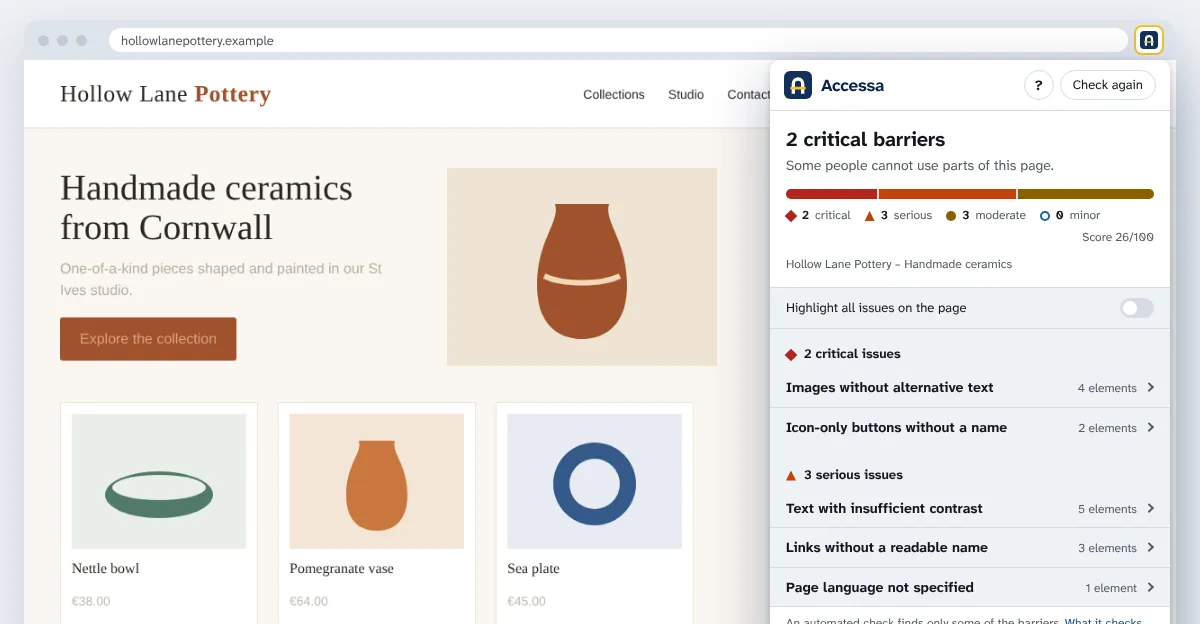
Every issue explained simply
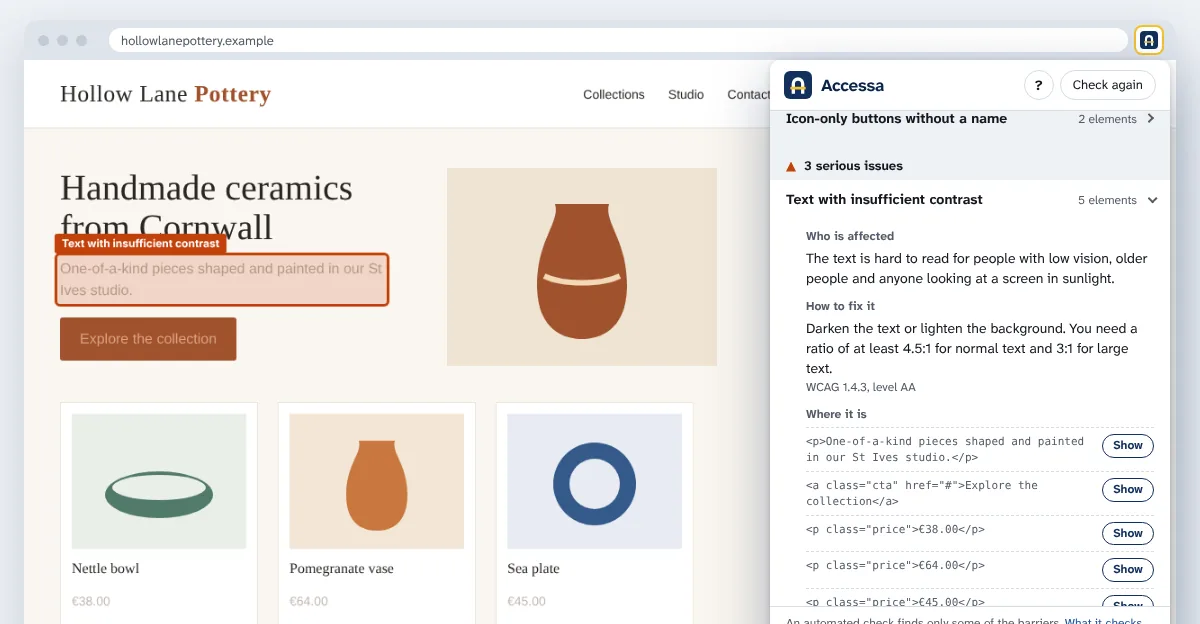
For each barrier you see who is affected, how to fix it and where it is. With “Show” the page scrolls to the element and highlights it. WCAG references are there for those who want them, but you don't need them to understand.
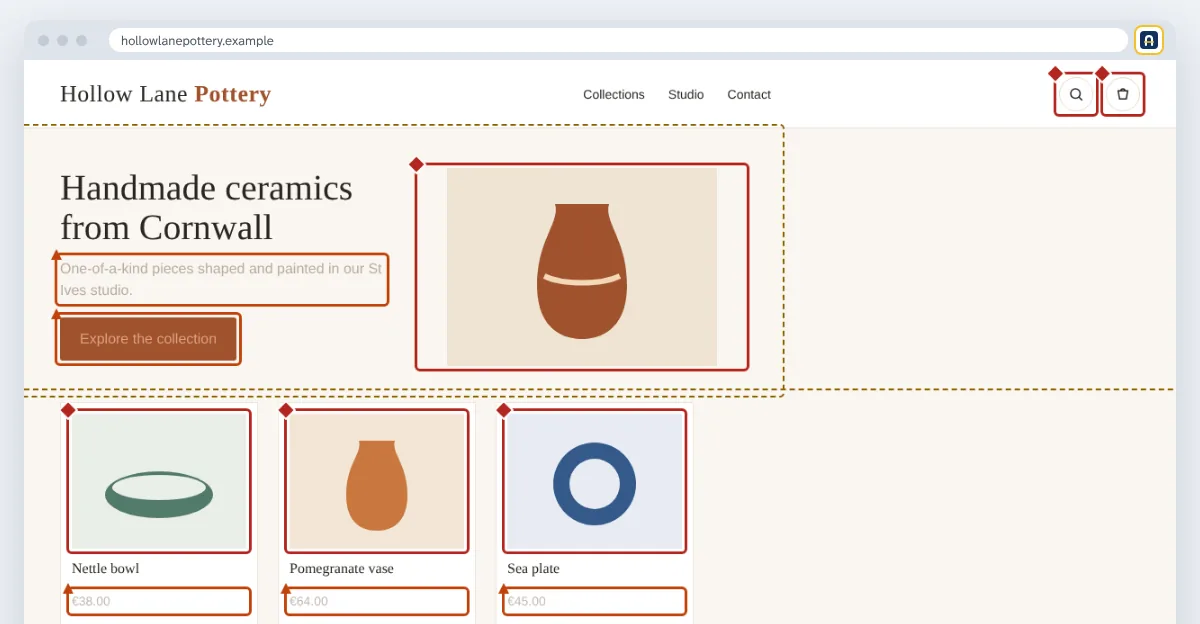
All barriers, on the page
One switch highlights every issue at once. Severity is shown by colour and shape: a diamond for critical, a triangle for serious, a circle for moderate.
Why now
Since 28 June 2025 the European Accessibility Act requires many businesses to make their websites and apps accessible: online shops, banks, transport, digital services. Each EU country applies it through its own national law. The technical reference is the WCAG guidelines at levels A and AA, the same ones Accessa uses.
Accessa helps you find the problems. To know whether your website is covered by the law, ask a legal advisor.
Who it is for
Web agencies and freelancers who check their clients' websites, online shops and small businesses that run their own website, content editors who want images, headings and links to be clear for everyone.
What it checks and what it doesn't
An automated check is a great starting point, but it does not see everything. We say so clearly.
Accessa checks
- Images, buttons and links without an understandable name
- Contrast between text and background
- Form fields without a label
- Page language and title
- Structure of headings, lists and page regions
- Correct use of ARIA attributes
- Zoom blocked on mobile and targets too small to tap
Needs a manual check
- Whether image descriptions actually make sense
- Whether the whole website works well with the keyboard alone
- Quality of video captions and transcripts
- Downloadable PDF documents
- Content inside embedded frames: videos, maps, chats
- The other pages of the website: Accessa checks the open one
Your data stays yours
Accessa reads a page only when you click its icon, and only that page. The check runs inside your browser: no account, no data sent to external servers. Read the privacy policy.
Free, with a Pro version on the way
Checking pages is and will stay free. The Pro version will add a PDF report with your agency's logo, a draft accessibility statement and checks across several pages.